
The short answer
Open your server access log and filter by user-agent. AI crawlers identify themselves in that string, so one command tells you which engines fetched your pages, when, and what they got back.
Analytics tools will not show you this. Google Analytics runs JavaScript, and crawlers do not execute it, so every AI bot visit is invisible there. The log is the only complete record.
The question has a precise answer, so here it is first. Everything after this is detail you may not need.
# One command. Counts every AI crawler hit in your access log.
grep -iE "GPTBot|OAI-SearchBot|ChatGPT-User|ClaudeBot|Claude-Web|PerplexityBot|Google-Extended|Bytespider|CCBot|Applebot-Extended" access.log \
  | awk '{print $12}' | sort | uniq -c | sort -rn
If that returns nothing, either no AI crawler has visited, or something is blocking them before they reach your logs. Both are worth knowing and the second is more common than people expect.
Where to find your access log
| Host type | Where to look |
|---|---|
| cPanel | Metrics, then Raw Access. Download the compressed log |
| Plesk | Websites & Domains, then Logs |
| Managed WordPress (Kinsta, WP Engine, Flywheel) | Usually a Logs tab in the dashboard, or ask support |
| VPS or dedicated | /var/log/nginx/access.log or /var/log/apache2/access.log |
| Cloudflare in front | Cloudflare may answer before your origin sees the request. Check Cloudflare analytics too |
Pro tip
If your site sits behind Cloudflare or a similar proxy and you see far fewer crawler hits than expected, the proxy is likely serving them from cache or blocking them outright. Cloudflare has a bot-fighting setting that blocks AI crawlers by default on some plans. Your origin log will look quiet while the engines are actually being turned away at the door.
The user-agents worth filtering for
These are the strings the major engines send. Names change, so verify against each provider’s published list rather than trusting any article, including this one.
| User-agent | Operator | What it is doing |
|---|---|---|
GPTBot |
OpenAI | Collecting content for model training |
OAI-SearchBot |
OpenAI | Indexing for ChatGPT search results |
ChatGPT-User |
OpenAI | Fetching a page because a user asked, in real time |
ClaudeBot |
Anthropic | Crawling for training |
Claude-Web |
Anthropic | Real-time retrieval |
PerplexityBot |
Perplexity | Indexing for answers |
Google-Extended |
Controls Gemini training use. Not a separate crawler | |
Bytespider |
ByteDance | Training |
CCBot |
Common Crawl | Open dataset used by many models |
The distinction that matters most
A training crawler and an answer crawler are not the same thing. GPTBot gathers content for training. ChatGPT-User fetches your page because someone asked a question right now. Blocking the first does not remove you from ChatGPT’s answers. Blocking the second does. Most sites that quietly disappeared from AI answers blocked the wrong one.
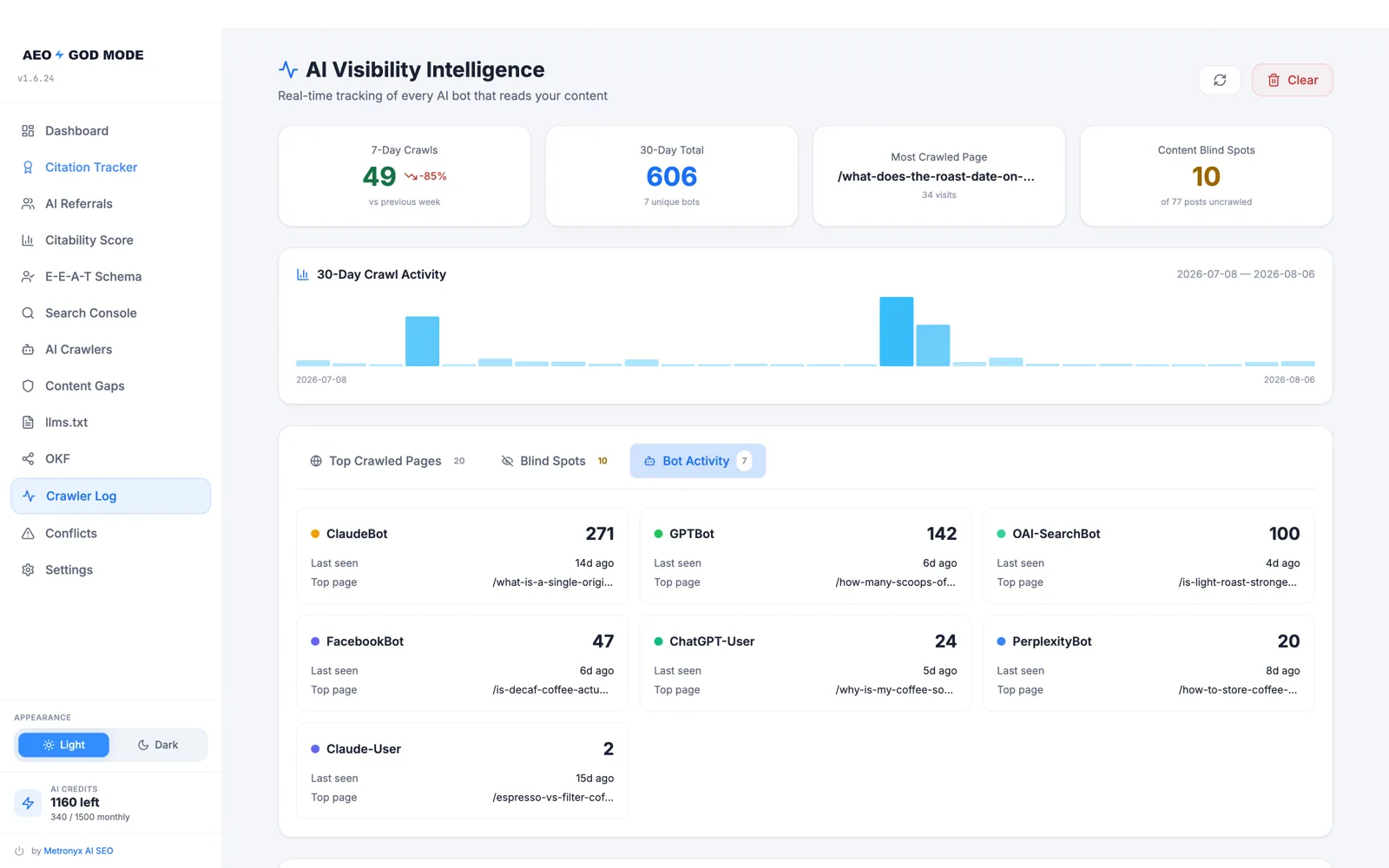
If you would rather not parse logs by hand, the free plugin records every AI crawler visit and the status code it got back. Download it free.
Reading what you find
Three columns carry almost all the signal.
-
Status code
200means the crawler got the page.403means something refused it, usually a firewall or security plugin rather than WordPress.404on pages that exist points at a rewrite problem. A wall of403s is the single most common finding, and it is almost always unintentional. -
Requested path
Are they fetching your posts, or hammering
/wp-json/and paginated archives? Crawlers spending their time on low-value URLs are not reading the content you care about. -
Frequency over time
A steady trickle is normal. A sudden stop usually means a new firewall rule, a host-level change, or a robots.txt edit. A sudden spike is usually a training run.
Why analytics will not tell you this
Google Analytics, and every other JavaScript-based tool, records a visit when a browser executes a tracking script. Crawlers request the HTML and leave. No script runs, so no visit is recorded.
This means a site can be crawled thousands of times a month by AI engines and show nothing at all in analytics. The absence is not evidence. It is a measurement gap, and it is why server logs are the only complete answer to this question.
The exception is referral traffic, which is a different thing entirely. When a person clicks a link inside an AI answer, that is a real browser and it does appear in analytics with a referrer such as chatgpt.com or perplexity.ai. Crawler visits and referral visits are separate signals and both are worth watching.
Skip the grep command
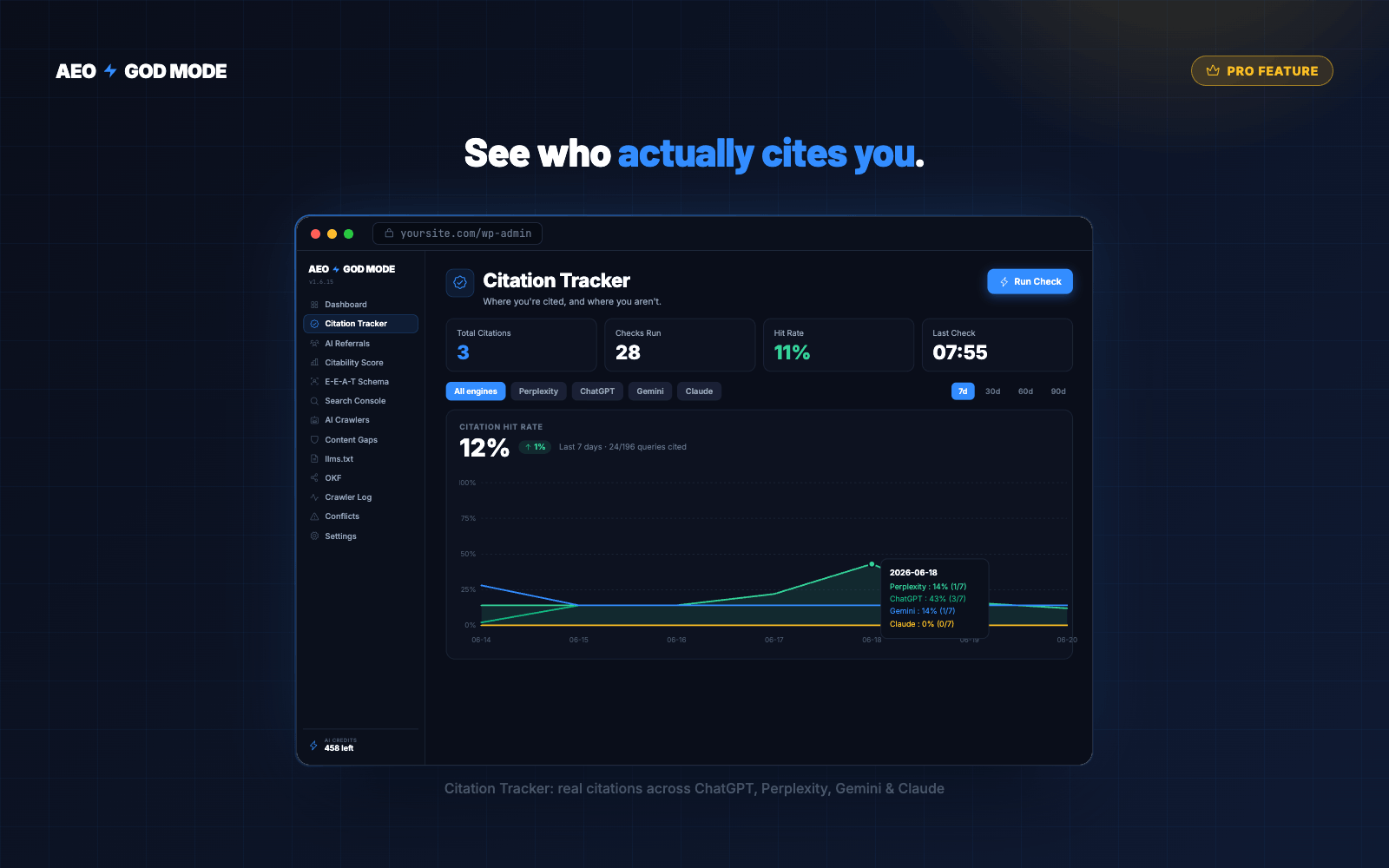
The AI crawler log records every bot visit, the status code it received and the page it requested, without you touching a server log.
- All 18 AI crawlers, individually
- See 403s you did not know about
- Free, no account, no card
Keep reading
Answer engine optimization for WordPress: the complete setup
Access, structure and measurement. Ordered by how much the evidence supports each step.
AEO analytics with Google Search Console: what to measure and what to ignore
Search Console cannot see AI answers. Here is what it can tell you, and what to pair it with.
Best AEO plugin for WordPress: an honest comparison including ours
Compared on capability, not adjectives. Including when you do not need one.
Frequently asked questions
How do I check which AI bots are crawling my site?
Open your server access log and filter by user-agent for strings such as GPTBot, ClaudeBot, PerplexityBot and OAI-SearchBot. The log records every request with a timestamp, the path requested and the status code returned. JavaScript analytics tools cannot show this because crawlers do not run scripts.
Why don’t AI bots show up in Google Analytics?
Google Analytics records a visit when a browser executes its tracking script. Crawlers request the HTML and leave without running JavaScript, so they are never counted. Server logs record the request itself, which is why they capture crawler activity that analytics misses.
What is the difference between GPTBot and ChatGPT-User?
GPTBot collects content for model training. ChatGPT-User fetches a page in real time because a user’s question requires it. Blocking GPTBot does not remove you from ChatGPT’s answers. Blocking ChatGPT-User does.
Why are AI crawlers getting 403 errors on my site?
Something is refusing them before WordPress responds, most often a security plugin, a firewall rule or a CDN bot-protection setting. Some CDN plans block AI crawlers by default. Check the CDN first, then the firewall, then any security plugin.
How often should AI crawlers visit my site?
There is no correct number. A regularly updated site typically sees a steady trickle. What matters more than volume is that the visits are returning status 200 and requesting your content rather than low-value URLs, and that the pattern does not suddenly stop.