Free
Decide which AI crawlers get your content, with an AI Crawler Allowlist
Over 20 AI crawlers visit WordPress sites daily. Some send traffic back. Others just take. Allow the helpful ones, block the rest, straight from your dashboard.
Click any bot. Watch the status change. See your robots.txt update live.
This mirrors the actual plugin interface. Click any bot card to cycle through the three states. The robots.txt preview updates in real time.
The live allowlist demo, exactly as it appears in the plugin.
Right now, AI companies are scraping your content. You get nothing in return.
Over 20 AI crawlers are visiting WordPress sites daily. Some of them, like ChatGPT Search and Perplexity, send real traffic back to you. Others, like Bytespider and CCBot, scrape your content for AI training datasets and give you zero credit, zero traffic, zero compensation. Most site owners have no idea this is happening. And WordPress gives you no way to control it.
- Some bots give back. ChatGPT Search and Perplexity cite your content and send visitors.
- Some bots just take. Bytespider, CCBot and Meta-ExternalAgent scrape without attribution.
- Doing nothing has a cost. Without the Allowlist, you’re giving away content for free.
- It shapes your visibility. This directly affects how AI models reference, or ignore, your brand.
Real crawler activity on a WordPress site.
Allow the bots that help you. Block the ones that don’t. Three clicks. Done.
Each AI crawler gets a card. Click it to set the status: Allowed, Disallowed, or Not Set. The plugin writes the correct directives to your robots.txt automatically. No server config, no code, no .htaccess edits. “Allowed” tells crawlers they can access your site. “Disallowed” blocks them completely. “Not Set” leaves them unmanaged. You stay in control of every single bot.
- Standards-based. Works through the robots exclusion standard, the same protocol Google respects.
- No server access needed. No .htaccess or server configuration required.
- Preview first. Live robots.txt preview before you save.
- Instant. Changes apply site-wide as soon as you save.
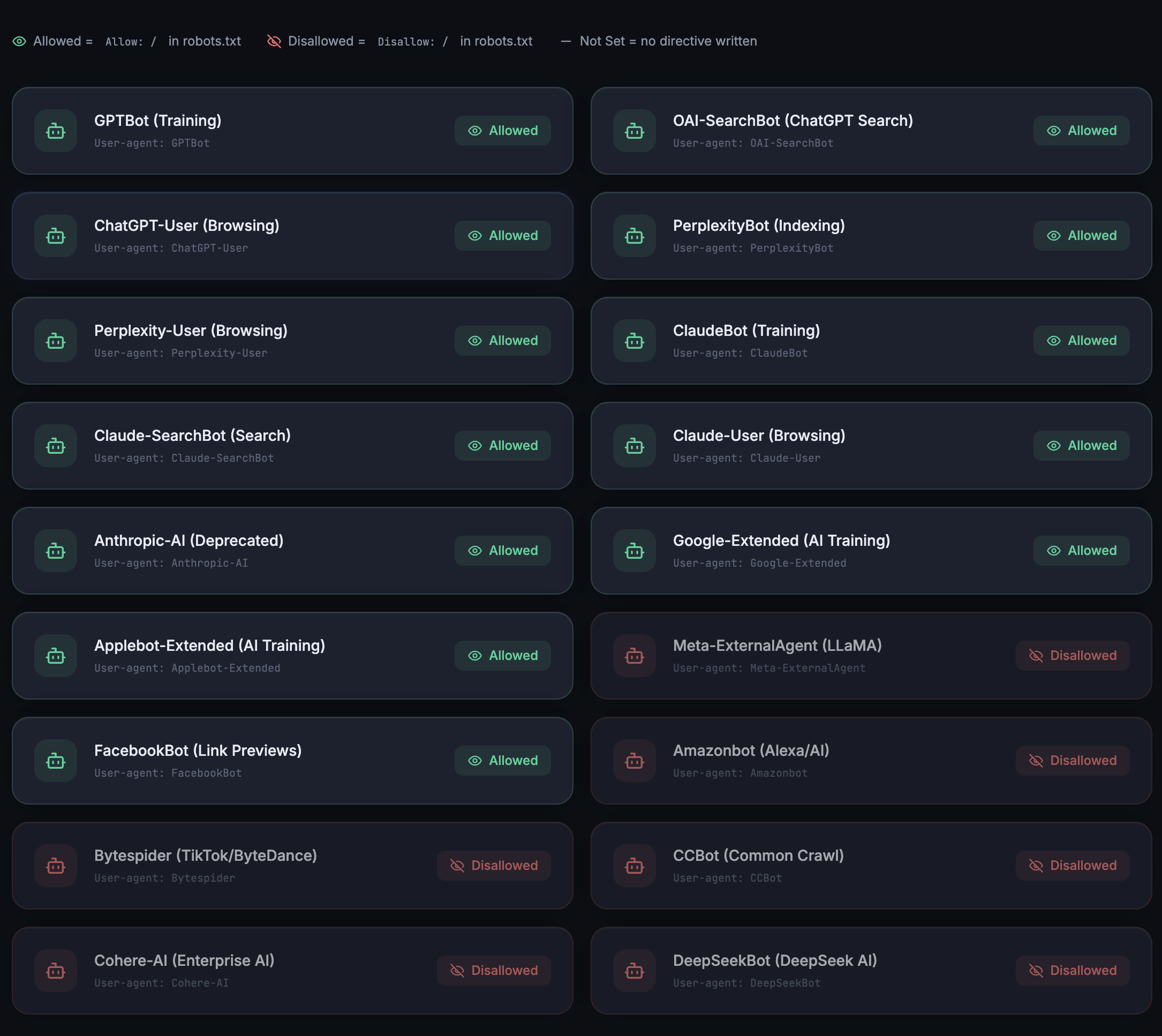
Allowed and Disallowed bots side by side in the plugin.
AI search is growing 527% year on year. The sites that show up are the ones that let AI crawlers in.
When ChatGPT Search, Perplexity or Claude answers a question and cites your page, that’s a live search bot visitor you wouldn’t have got from traditional search. But those AI platforms can only cite you if their crawlers can access your content. The Allowlist gives you the strategy: allow the crawlers tied to AI search engines, the ones that send traffic, and block the ones that only use your content for model training.
- GPTBot and OAI-SearchBot. Power ChatGPT Search results.
- PerplexityBot. Indexes content for Perplexity answers and citations.
- ClaudeBot. Feeds Claude’s web-search capabilities.
- Blanket blocking backfires. Blocking all AI crawlers means zero AI visibility for your brand.
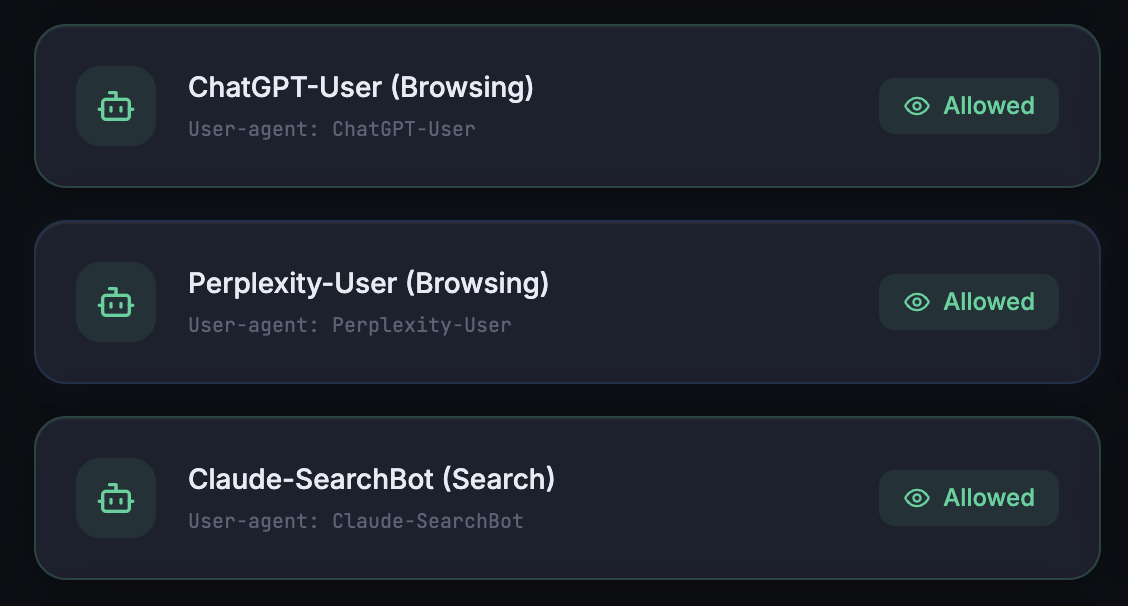
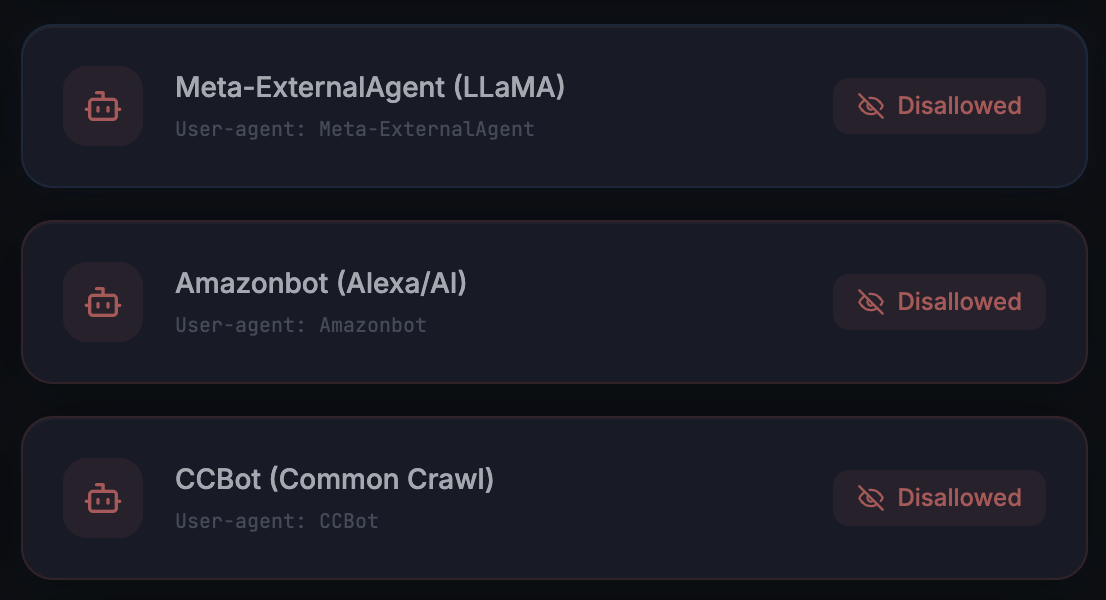
Allowed and Disallowed states on individual crawler cards.
Allow the search bots. Block the training bots. Get traffic. Keep control.
Here’s the strategy most site owners don’t know about: there are two types of AI crawlers. Search bots (GPTBot, PerplexityBot, ClaudeBot) power the AI search engines that cite and link to your pages. Training bots (Bytespider, CCBot, Meta-ExternalAgent) scrape content purely for model training with no attribution. Allow the first group. Block the second. You keep the door open to AI answers while protecting your content from uncompensated scraping. That’s the difference between giving AI search engines the chance to cite you and shutting them out entirely.
- Allow search-facing bots. GPTBot, PerplexityBot, ClaudeBot.
- Block training-only crawlers. Bytespider, CCBot, Cohere-AI.
- Protect your work. Stay eligible to appear in AI answers while protecting your intellectual property.
- Stays current. The bot list is updated automatically as new AI crawlers appear.
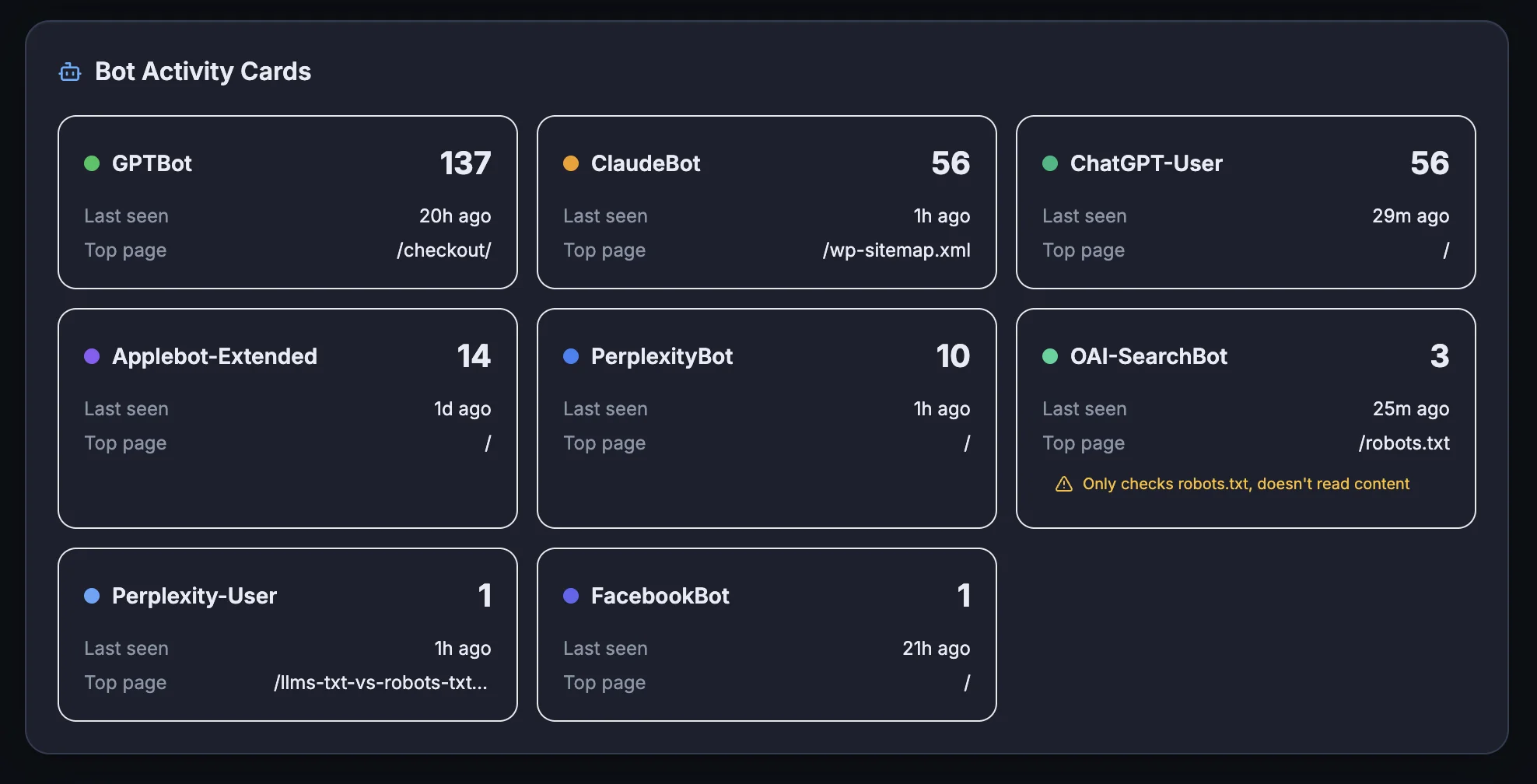
Bot activity cards show exactly who is hitting your site, and how often.
AI Crawler Allowlist questions, answered
Allow the search-facing bots that power AI answer engines: GPTBot, OAI-SearchBot, PerplexityBot and ClaudeBot. Block the training-only crawlers that scrape without attribution, such as Bytespider, CCBot and Cohere-AI. That keeps the door open to AI answers while protecting your content from uncompensated scraping.
No. The plugin writes the correct directives to your robots.txt automatically. You click a bot card to set it to Allowed, Disallowed or Not Set, preview the robots.txt output, and save. No code, no server access needed.
No. The Allowlist only writes directives for the AI crawlers you choose to manage. Googlebot and other traditional search crawlers are untouched, so your existing search visibility carries on as normal.
“Not Set” leaves that crawler unmanaged: no directive is written for it, so it behaves exactly as it did before you installed the plugin. It’s the default state, and you only need to change the bots you want to control.
Through the robots exclusion standard, the same protocol Google respects. Setting a bot to Disallowed writes a disallow directive for that user agent into your robots.txt, and the change applies site-wide as soon as you save.
Yes. The AI Crawler Allowlist is part of the free AEO God Mode plugin on WordPress.org. Install it, open the Allowlist, and start managing AI crawlers straight away.
Take back control of who crawls your content
The AI Crawler Allowlist is free. Install it and manage every AI bot in three clicks.