Watch the walkthrough
How to Use E-E-A-T Schema on WordPress. Opens on YouTube when you press play.
Google and AI search engines want to show answers from real experts. E-E-A-T stands for Experience, Expertise, Authoritativeness, and Trustworthiness. When you write an article, proving you know your topic is very important.
AEO God Mode Pro makes it easy to add your expert details directly to your WordPress profile. The plugin then formats this data so AI engines can read it and use it to trust your work.
- – Add your details: Fill in your job title, employer, and education on your WordPress profile.
- – Prove your skills: List your areas of expertise and specific certifications.
- – Link your social profiles: Connect your LinkedIn, X, and YouTube accounts so AI bots can verify who you are.
- – Bottom line: Giving AI engines proof of your skills makes them much more likely to cite your posts in their answers.
Finding the E-E-A-T Settings
You can add your E-E-A-T details right inside WordPress.
- Go to Users in your WordPress dashboard menu.
- Click on Profile (or click edit on any specific user).
- Scroll down until you see the AEO God Mode: E-E-A-T Signals section.
How to Fill Out the Fields
Job Title and Employer
Enter your exact job title and the name of the company you work for. AI engines use this to check if your job relates to the topics you write about.
Areas of Expertise
List the topics you know best. Separate each topic with a comma. Keep these specific. For example: “Technical SEO, Content Marketing, Answer Engine Optimization”.
Education and Alumni Of
Add the name of the university or school you attended. This is a strong trust signal for AI crawlers.
Credentials and Certifications
List any specific certificates or awards you have earned. Separate them with commas. For example: “HubSpot Certified, Google Analytics Qualified”.
Additional Social Profiles
Add links to your professional social media accounts. Put one link per line. LinkedIn is the most important profile to include because AI engines use it to verify professional history.
What Happens After You Save?
When you update your profile, AEO God Mode Pro does two things:
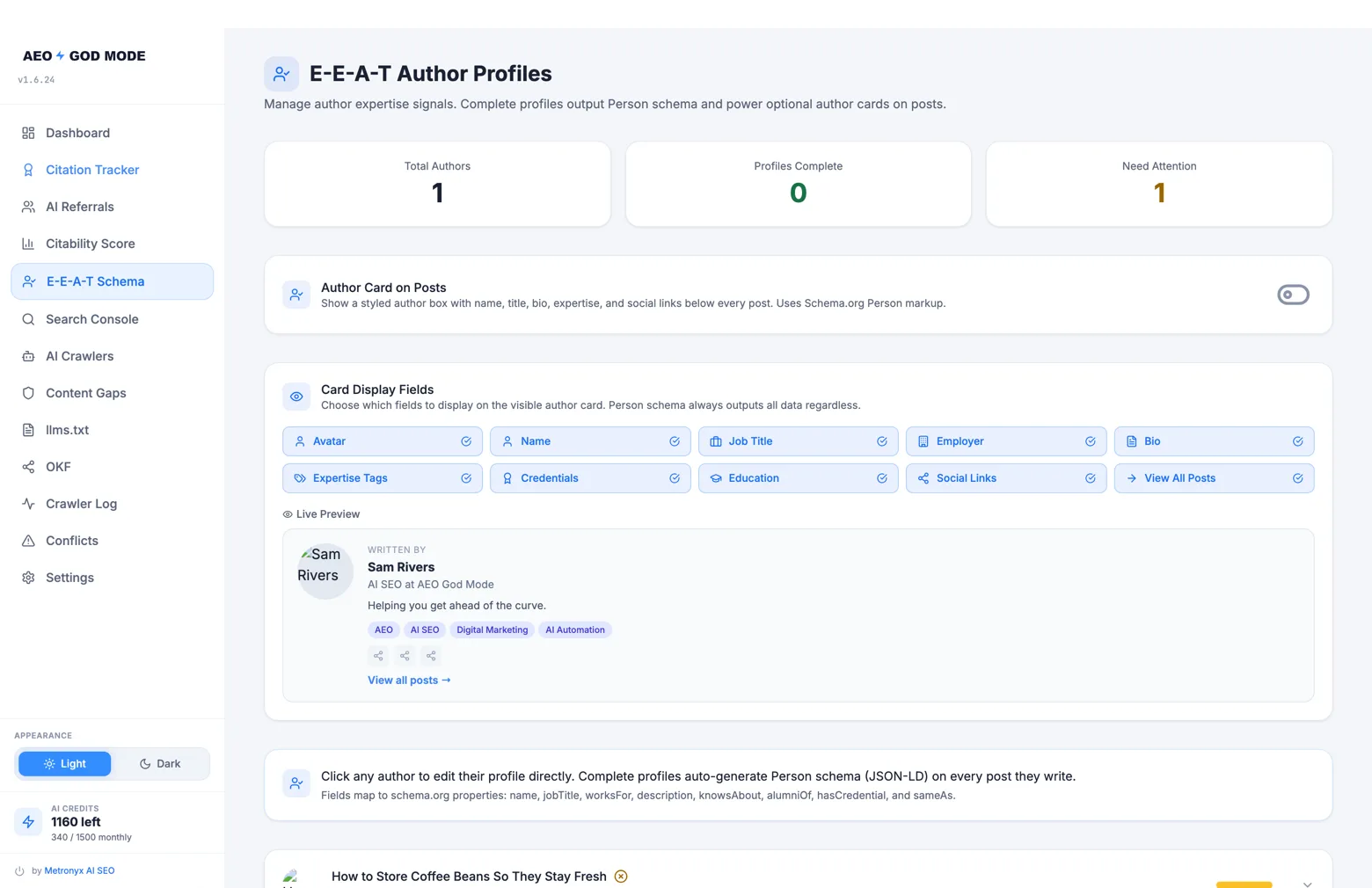
- It builds hidden data: The plugin creates special structured data that AI bots read when they crawl your posts. This data tells them exactly who you are and why they should trust you.
- It shows an author card: If you turn on the Author Card setting, a clean summary of your skills and social links will appear at the bottom of your blog posts for actual human readers to see.
Frequently Asked Questions
Do I need to be a famous expert for this to work?
No. You just need to show that you have real experience with the topic you write about. Including your job title and a couple of relevant skills is enough to start building trust with AI crawlers.
Does this work with Yoast or Rank Math?
Yes. AEO God Mode checks if you use Yoast or Rank Math. If you do, it adds your new expertise and credential details to the author profile data those plugins already create.
Do I have to fill out every single field?
No. Only fill out the fields that make sense for you. If you do not have specific certifications, you can leave that box empty. The plugin will only use the details you provide.