

RankReady is a strong choice for technical teams that want local AEO files, bot controls and their own AI keys. It works beside an existing SEO plugin and keeps its main records inside WordPress.
People often compare RankReady alternatives before buying when they need Search Console data, saved citation checks or clearer actions for each page. Existing users may also want managed AI credits, wider writing tools or less work looking after provider keys.
The central choice is technical AEO foundations versus evidence that leads to editorial action. This guide compares each option by setup, proof, control, price and the weekly work it helps you finish.
There is no universal winner here. These products overlap, but they are not all solving the same problem.
The short version
| Product | Best for | How it fits WordPress | Keeps your SEO plugin | Starting price |
|---|---|---|---|---|
| RankReady | Local technical AEO and your own AI keys | Focused add-on | Yes | Free; provider costs are separate |
| AEO God Mode | Evidence that leads to WordPress actions | Focused AEO operations layer | Yes | Free; Pro from $19/month billed yearly |
| ThinkRank | One full SEO system with MCP | SEO replacement | No | Free; paid from $49.50/year when checked |
| Squirrly GEO | Guided all-in-one SEO and GEO | Broad SEO suite | Compatibility mode available | Free; Pro from $9.99/month when checked |
| GetGenie | Research and high-volume writing | Writing and research assistant | Yes | Free; paid from $9.99/month when checked |
| Visibility | A small, private and free SEO base | SEO replacement | No | Free with no paid tier |
Disclosure: AEO God Mode is our product. We used the same checks for every tool. We linked the official pages used for features, prices and limits.
We checked official listings, guides and prices. We also tried each setup and its main screens. Ratings and install counts show size. They don’t prove quality.
For the technical overlap, compare the Schema Engine with the llms.txt generator. Those pages explain what a local WordPress foundation can do before measurement begins.
Why people look for RankReady alternatives

RankReady does far more than make an llms.txt file. Version 1.3.0 has four main parts:
- Pages AI tools can read: llms.txt, llms-full.txt, Markdown pages, Open Knowledge Format and read-only WebMCP.
- Crawler control: rules for 29 named AI bots.
- Records on your site: bot visits, AI referrals, page age and site checks.
- Your own AI keys: make content with OpenAI, Claude, Gemini or DeepSeek. You can also add DataForSEO question data.
The main data stays in WordPress. It only leaves when you call an outside service. This suits teams that want local records and control of their AI accounts.
People look at other tools when they need a different job done. They may want Search Console data or repeat answer checks. They may want a full SEO plugin or a larger writing tool.
What RankReady is like to set up
First setup. RankReady opens with an optional Freemius data-sharing screen. You can skip it and still use the plugin. It then asks for your site name, a short summary and key brand terms. RankReady uses these details in its files, summaries and FAQs.
Dashboard. The first screen shows crawler controls, files, summaries, FAQs, activity, referrals, freshness and site checks. RankReady is much more than an llms.txt plugin.
AI keys. You can add OpenAI, Claude, Gemini or DeepSeek keys. RankReady doesn’t limit manual summaries and FAQs. Your AI company can still charge you or stop use at its own limit. Bulk and automatic tools said Coming soon in version 1.3.0. We didn’t count them as live tools.
Where the need for an alternative begins
RankReady can tell you if a known bot requested a page. It can also tell you if a visit came from an AI platform. These facts don’t prove that an AI answer cited the page. RankReady says this clearly: a visit means a page was read, not quoted.
Another tool becomes useful when your next questions are about action. Which questions name us? Which URL was cited? What outside source won instead? Which Search Console issue should we fix? RankReady can stay installed while another tool answers those questions.
The AI Crawler Log records recognised bot requests without calling them citations. The Citation Tracker checks chosen questions and saves returned sources. Both views stay useful without being confused.
RankReady pros and trade-offs
- ✓Strong free technical AEO toolkit
- ✓Local crawler, referral and freshness records
- ✓Useful machine-readable formats and crawler controls
- ✓Works with your own OpenAI, Claude, Gemini or DeepSeek keys
- ✗No saved per-engine answer history was found in the checked version
- ✗No Search Console action workflow was found in the checked version
- ✗You must manage provider keys, bills, quotas and failures
Crawler activity is not citation tracking
This matters because each signal answers a different question.
- A crawler log can prove that a named bot requested a URL.
- An AI referral can prove that a visitor arrived from an AI product.
- An indexed mention search can find saved answers that name a site.
- A direct citation check asks a chosen question. It then saves whether the answer names or links to your site.
RankReady’s own description is careful here: a visit means a page was read, not quoted. That honesty is a strength. It also means a site that wants answer-level evidence needs a separate workflow.
Evidence, not vanity signals
A crawler visit and a citation are not the same thing
RankReady can show that an AI crawler reached a page. AEO God Mode's Citation Tracker checks the returned answer itself, records whether your brand was named, and turns a miss into a page-level action.
1. Reading signal
Useful evidence that an AI system reached the page
RankReady's crawler activity, AI-referral and citation-intent views are useful technical signals. Its own documentation correctly warns that a visit means a page was read, not that the answer quoted or recommended it.
- Confirms technical discoverability and bot activity
- Helps validate crawler rules and machine-readable endpoints
- Does not, by itself, prove a returned answer cited the site
2. Answer evidence
Check the answer, engine by engine
On our controlled WordPress test site, Citation Tracker follows the question below engine by engine and records the cited page and answer context instead of inferring a citation from a visit.
What is the best AI citation tracker for WordPress?
- See which engines name the site
- See which owned page earns the citation
- Keep comparable checks so change can be measured
3. Next action
Turn the missing citation into work you can do
AEO God Mode links a missed question to the best existing answer page, shows where outside sources earned attention, and keeps the question available for a later recheck. That closes the gap between monitoring and improving.
- Match the missed question to an owned answer page
- Use cited-source evidence to see what the answer rewarded
- Improve the page and rerun the same question

For WordPress specifically, AEO God Mode and a handful of others offer citation tracking across engines.

Several WordPress plugins now track AI citations directly from the dashboard.
Answer cited three other domains. Your site was not named.

Answer cited two other domains. Your site was not named.
This walkthrough follows AEO God Mode's current Citation Tracker workflow in a controlled WordPress test-site environment, keeping customer sites and accounts private. The article does not trigger an AI check when you interact with it. RankReady facts were checked against official sources and a hands-on walkthrough of version 1.3.0 on 26 August 2026.
AEO God Mode
 AEO God Mode
Best for: citation checks that lead to action
AEO God Mode is the closest match in shape. It also sits beside your current SEO plugin. You don’t have to replace Rank Math, Yoast or SEOPress.
Citation Tracker stores questions you choose and checks them across supported answer engines. It shows more than a yes or no badge. You can see the answer, the cited page and the source context. You can also see if the result changes over time.
Page Reports connect each question to a page on your site. Earned Source Opportunities show the outside sites that an answer trusted instead. A missed question can become a clear page fix, a new post or a source-building task.
Search Console is kept separate because it proves something else. AEO God Mode brings Google queries and pages into WordPress. It also shows clicks, views and index data. It can find a page that is close to ranking well. Google data helps you choose what to fix. Citation checks then measure a different result.
The Search Console workflow connects query and index evidence to page actions.
AEO God Mode also includes Smart Internal Linking, Content Health, Link Health and Answer Density. It records crawler visits and AI referrals. Its Knowledge Base can ground drafts in facts you supplied. Topical Map helps plan missing coverage. Repurpose Content turns one approved source into editable material for YouTube, X and LinkedIn. Visual Content Blocks turn useful facts into native WordPress blocks.
How the AEO God Mode workflow differs in practice
The main difference is what happens after the report. A citation check can find a missed question. Page Reports can show the page tied to it. You can also see which source was used instead. You can then fix a page or fill a content gap. You may add an internal link or make a new brief.
Smart Internal Linking shows the idea well. It reads sections across your site. You choose a target page. It then finds useful source text and link words. You review the idea before it changes a post. We didn’t find this same flow in RankReady. That doesn’t make RankReady’s files weak. The two tools have different aims.
Topical Map also does more than return a keyword list. It shows what you already cover, what is missing and what to publish next. Repurpose Content makes a connected channel pack from one approved source. Content Blocks turn facts into useful page elements instead of another wall of AI text.
The Content Gap Scanner helps when an important question has no suitable page.
Keys, credits and limitations
AEO God Mode is not unlimited. Pro and Growth include monthly credits. Parts of Citation Tracker can use your own provider keys. ChatGPT can use plan credits or a connected OpenAI key. Growth’s indexed mention search is a stored-data search, not a fresh check across every engine.
RankReady is simpler if you already manage AI accounts and bills. AEO God Mode is simpler if you want one joined-up workspace. Its plans have set limits. Neither model is always cheaper. Your own use decides.
Choose AEO God Mode over RankReady when:
- you want to keep your present SEO plugin;
- you need selected-question evidence from returned answers;
- Search Console queries and indexing should lead to clear work;
- internal links, page fixes and content planning should live in the same workflow; or
- you prefer a guided product over assembling multiple BYO-key tools.
Keep RankReady when you want local files, bot controls and your own AI keys. RankReady was free in the official sources we checked.
AEO God Mode also has a free plugin. Pro was $19 per month when paid by the year. It covered one site and 500 monthly credits. Growth was $49 per month when paid by the year. It covered five sites and 1,500 credits. Check the live prices before you buy.
AEO God Mode pros and trade-offs
- ✓Direct citation checks tied to pages and source evidence
- ✓Search Console data that leads to clear WordPress actions
- ✓Smart Internal Linking, Topical Map and page health workflows
- ✓Grounded drafting, content repurposing and native visual blocks
- ✗Some AI work uses monthly credits
- ✗Pro is licensed per site; Growth is needed for wider market features
- ✗It works beside a main SEO plugin rather than replacing one

ThinkRank

Best for: one SEO plugin with MCP control
ThinkRank is a different kind of choice. It can replace your main SEO plugin. It handles titles, schema, sitemaps, robots rules, Local SEO, Search Console, GA4 and IndexNow. It can move data from Rank Math, Yoast, AIOSEO and SEOPress. It can also let a compatible AI assistant use SEO tools through MCP.
Like RankReady, ThinkRank lets you add your own AI keys. This gives you control over the provider and its bill. Paid plans add tools such as AI internal links, custom schema, rank tracking, redirects and broken-link checks.
Setup and day-to-day product shape
ThinkRank’s setup feels like a new SEO platform, not a small add-on. Its wizard covers your site, sitemaps, content types, MCP and Google. You can skip tracking, Google, MCP and extra plugins.
The free workspace covers many standard SEO jobs. These include titles, breadcrumbs, business details, schema, social cards, robots rules, sitemaps, llms.txt and IndexNow. Several deeper tools are marked for Pro, including rank tracking, traffic recovery, AI link ideas, redirects, custom schema and WooCommerce features.
This breadth helps if you want one system. It also makes the move bigger. Two plugins should not control the same titles, schema or sitemaps. A mature site needs a tested move and a rollback plan.
ThinkRank has real answer checking
ThinkRank does run real answer checks. Brand Visibility uses your AI keys to run chosen questions. It looks for brand mentions and cited domains. The free version gives a small manual check. Scheduled checks, more platforms, competitors and longer history are paid features.
This makes ThinkRank a real citation-checking option. The key difference is product shape. ThinkRank puts answer checks inside a full SEO replacement and uses your AI keys. AEO God Mode keeps your SEO plugin and joins citation history to pages, sources and content actions.
ThinkRank also separates passive AI Traffic from Brand Visibility. The former records AI referrals and crawler fetches; the latter examines returned answers. That is the same conceptual separation this article recommends, even though the products present and meter it differently.
MCP and provider responsibility
ThinkRank has an MCP server. This lets a supported AI helper call its SEO tools. It is off by default and needs a clear setup. We didn’t test every outside MCP client. We can’t say they all work the same way.
Using your own keys also gives you more work. You choose the provider, watch the limits and pay the bill. ThinkRank says keys are encrypted when the host supports its method. You should still treat any AI key stored in WordPress as a secret.
Choose ThinkRank when you want to replace your SEO plugin. It also fits teams that need MCP control. Choose RankReady when your SEO plugin should stay and you want AI-ready files. Choose AEO God Mode when your SEO plugin should stay and you want answer checks. It also turns Search Console data into clear work.
ThinkRank pros and trade-offs
- ✓Full SEO system with Search Console, GA4 and IndexNow
- ✓Real answer checks through your own AI keys
- ✓Optional MCP server for compatible assistants
- ✓Migration tools for major SEO plugins
- ✗Replaces the main SEO plugin, so migration needs care
- ✗The free answer check is small and manual
- ✗You manage AI keys, provider bills and security
Squirrly GEO
Best for: guided all-in-one SEO and GEO
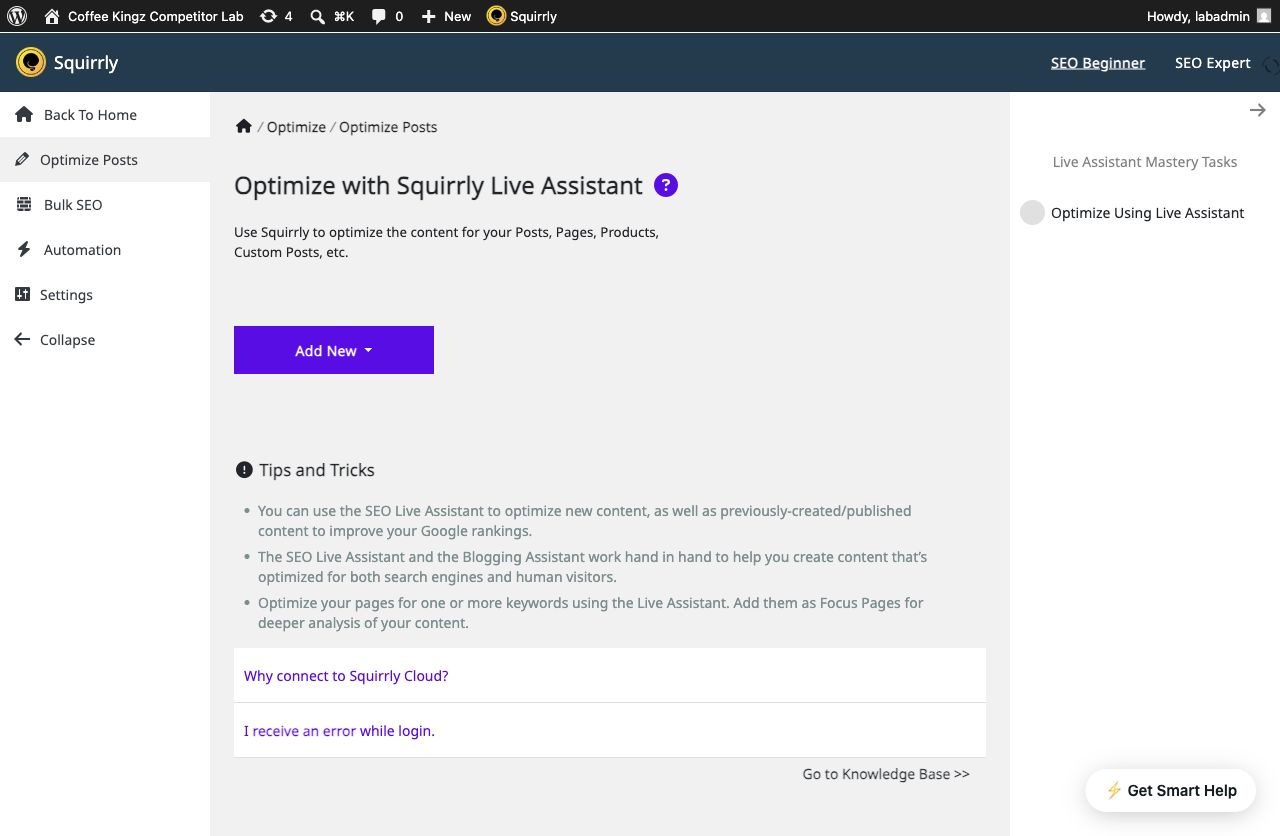
Squirrly GEO is the current Squirrly SEO suite with AEO and GEO added. It is not a small add-on. It covers research, content help, technical SEO, Focus Pages, rank tracking, schema, sitemaps, redirects, Search Console, Analytics, internal links, llms.txt and GEO audits.
Squirrly is careful with its claims. It doesn’t pretend AI answers have fixed rankings like Google results. It focuses on crawler visits, referrals and research. It also has a much longer history and more public reviews than the newer AEO tools here.
What the connected workflow actually covers
Squirrly is a plugin joined to a cloud service. Its audit, visibility, research, Focus Pages and rankings use a Squirrly account. Some local SEO tools stay in WordPress, but much of the wider workflow needs the service. Expect an account, plan limits and remote checks.
The GEO/AEO audit gives the user a real task list. It checks crawler rules, llms.txt, schema, short answers, question headings, lists, tables, depth and freshness. This helps prepare a page. It doesn’t prove that an answer engine cited it.
For page-level work, compare that audit with Content Health and Answer Density. They point to the exact page or section that needs attention.
AI Visibility reads AI referrals from Google Analytics. It shows visits, traffic share, conversions and top sources. It also shows an estimate for wider AI exposure. The referral data is real traffic evidence. The wider exposure number is an estimate, not a saved list of citations.
Internal links and llms.txt are genuine but different
Squirrly has real internal-link tools. It can find an exact phrase, save a rule and insert links with limits and link settings. AEO God Mode uses a different flow. It ranks source sections by meaning, shows the nearby text and lets the editor choose an anchor. A simple “yes” in a feature table would hide this difference.
Its current llms.txt tool has a clear purpose. In our test, the file held rules for bots and use. It covered access, training, summaries, embedding and credit. You can also add a fuller file made elsewhere. This is not the same as an automatic map of site content. It is still a working file that you can edit.
Who should pick Squirrly
Squirrly is best for a buyer who wants SEO, guided goals, research, audits, rankings and referral reports in one mature system. It covers more traditional SEO than RankReady or AEO God Mode.
The trade-off is size. A team that likes its SEO plugin may not want another full suite. AEO God Mode may fit if the main gap is answer checks and next steps. It also adds source ideas, smart links and content reuse. RankReady may fit if you only want local files, bot rules and summaries made with your own keys.
Choose Squirrly when you want one broad SEO/GEO environment, training and structured guidance. Choose RankReady when you prefer a smaller technical companion that stays beside your current SEO plugin. Choose AEO God Mode when you want a focused companion with selected-question answer history and a sharper evidence-to-action path.
Squirrly GEO pros and trade-offs
- ✓Mature all-in-one SEO and GEO suite
- ✓Clear audit and guided task system
- ✓Real referral reporting and internal-link tools
- ✓Large public review history
- ✗Broader and heavier than a focused AEO add-on
- ✗Many key workflows need a Squirrly Cloud account
- ✗The checked sources didn’t show the same saved four-engine answer history
GetGenie
Best for: AI writing and topical research
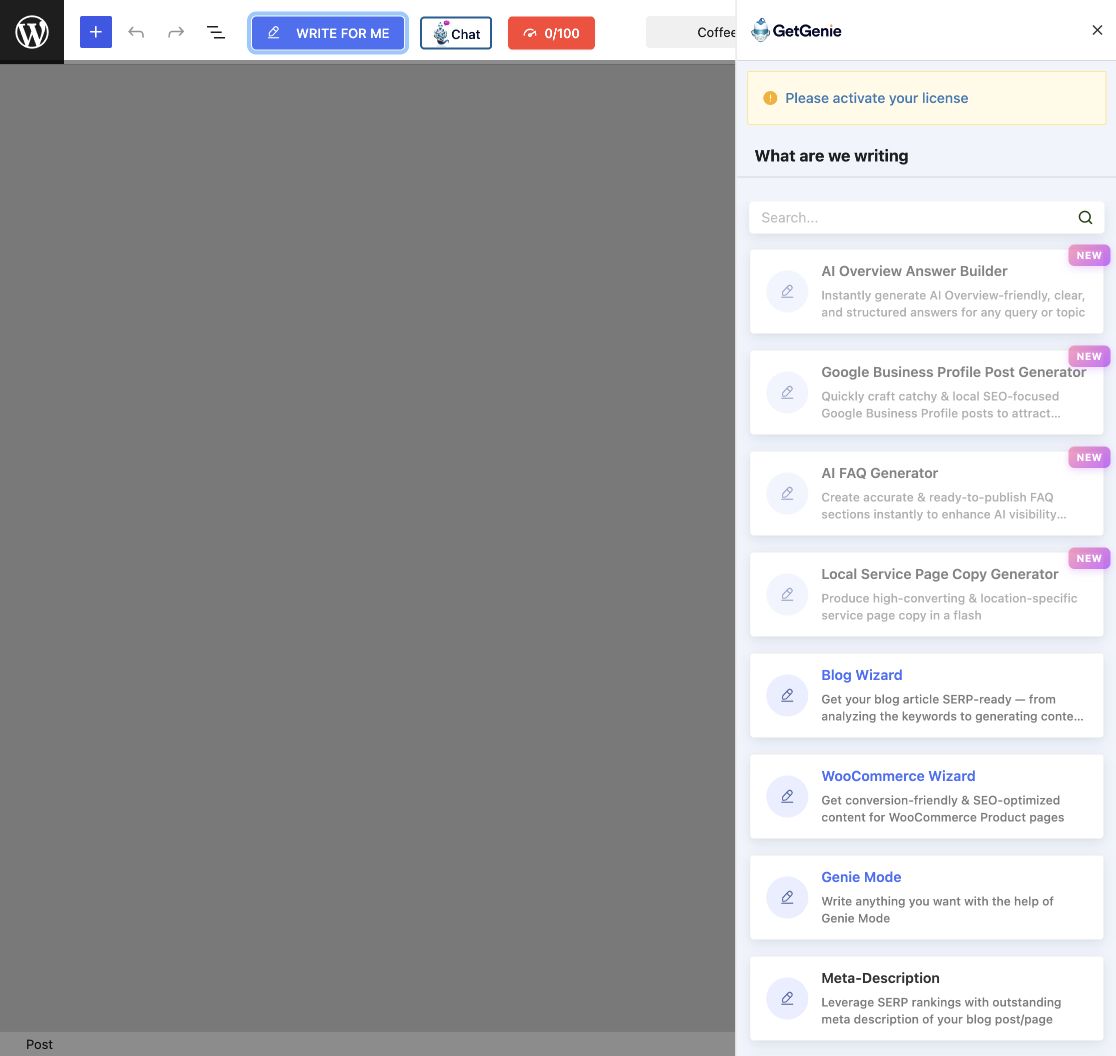
GetGenie is mainly a research and writing system. It offers keyword ideas, SERP and competitor research, topical maps, long-form writing, more than 40 templates, content scores, chat and images.
Its SEO Insights area also shows AI referral traffic. It does have AI visibility data. The key difference is that referral traffic is not the same as checking chosen questions across several answer engines and saving the cited sources.
The editor experience is a major strength
GetGenie puts writing, chat and scores inside Gutenberg. Its templates cover blogs, shops, titles, outlines, short answers, questions, summaries, product copy, ads, calls to action and social posts. It also includes AI Overview answers and FAQ tools.
This is a much deeper writing tool than RankReady’s summary and FAQ flow. It also starts in a different place from AEO God Mode. GetGenie starts with research and copy. AEO God Mode starts with site evidence and moves to a page fix, internal link, topic gap or content job.
The difference is clear in repurposing. GetGenie has separate LinkedIn, Instagram and X templates. AEO God Mode starts with one approved source and makes a connected channel pack with related media. Separate templates give more freedom. A connected job helps keep the message and facts together.
Topical Map and AI Readiness deserve a fair reading
GetGenie’s Topical Map is a real tool. It turns a seed keyword into groups and related terms. You can export it as PNG or CSV. When comparing maps, check the input, the view, whether it knows your current content and what happens after you choose a topic.
AEO God Mode’s Topical Map starts with site coverage and the next page to create. This is a different planning job from a seed-keyword map.
Its AI Readiness score grades how the content is prepared. It uses research, topic coverage and answer structure. It is not a record of ChatGPT or Gemini citing the page. AEO God Mode’s Citation Tracker measures that separate event.
Account, limits and best fit
GetGenie’s cloud research and writing need an account or licence link. Plans limit AI words, SERP checks, keyword research, topical maps and tracking. Check the current limits before you buy.
GetGenie is a strong pick when a team needs to write more content. RankReady is a strong pick for local AEO files and bot rules. It also suits people who want the AI company to bill them.
AEO God Mode fits a site that already has lots of content. It helps the team choose what to fix. It can connect related pages, check answers and reuse one source in several channels.
Choose GetGenie when the bottleneck is producing and optimising content from keyword research. Choose RankReady when machine-readable infrastructure, local crawler records and BYO-key technical AEO are more important. Choose AEO God Mode when you need to diagnose a site, choose what to fix and check whether chosen questions cite it.
GetGenie pros and trade-offs
- ✓Deep keyword, SERP and competitor research
- ✓More than 40 writing templates inside WordPress
- ✓Real Topical Map and AI referral reporting
- ✓Strong fit for teams that need more content
- ✗Plans limit words and research actions
- ✗The checked version didn’t show the same saved four-engine question history
- ✗Research and writing need a GetGenie account or licence link
Visibility

Best for: a lightweight local SEO replacement
Visibility is a small, free SEO/AEO plugin that keeps its main work local. It handles titles, canonical and social tags, schema, author details, indexing rules, sitemaps, redirects, llms.txt, Markdown and robots.txt. Its listing says there is no Pro tier, tracking, custom database table or cron job.
Visibility is meant to replace your main SEO plugin. This lets one tool control the page head safely. It can suit a new or simple site. It is a bigger choice for a team with a mature Rank Math or Yoast setup.
What you actually get without an account
Visibility has four areas: Discover, Indexing, Sitemaps and Redirects. Discover handles titles, descriptions, social cards, identity, schema, llms.txt, Markdown and robots rules. Indexing controls noindex, nofollow and URL clean-up. Sitemaps extends the WordPress sitemap. Redirects supports common redirect and gone rules.
There is no licence or vendor account step. In our clean check, llms.txt, page Markdown, the homepage identity graph and the XML sitemap worked after we turned them on. The plugin starts with careful defaults instead of changing everything at once.
The plugin is honest about uncertain standards. It says llms.txt use is still limited. It also says Google doesn’t use the file as a ranking signal and no plugin can promise a citation.
What Visibility leaves out by design
Visibility isn’t an AI writer or an analytics service. The checked version didn’t include answer checks, saved model answers, AI referral reports, topical maps, link ideas, repurposing or a Search Console data dashboard. Its Search Console field adds a site ownership tag. It doesn’t import Search Console data.
If site maintenance is the missing job, Link Health checks broken and redirected links. The Schema Validator shows the markup WordPress is publishing now.
These limits define the product. It stays small, local and free. A documented Gravatar request may happen for author images, but most work stays on the site.
Visibility is a good fit if you want a free local SEO base. It gives you page tags, schema, index rules, redirects and sitemaps. It also makes files that AI tools can read. It doesn’t run AI jobs. It isn’t made for saved citation history or guided content work.
Choose Visibility when a small, privacy-conscious, no-cost SEO/AEO foundation is the goal. Choose RankReady when you want to retain your SEO plugin and add bot activity plus BYO-key generation. Choose AEO God Mode when you need a complementary evidence and action layer rather than a replacement SEO foundation.
Visibility pros and trade-offs
- ✓Free local SEO and AEO foundation
- ✓Clear metadata, schema, sitemap and redirect tools
- ✓No vendor account or paid tier
- ✓Honest notes about what llms.txt can’t prove
- ✗Replaces the main SEO plugin
- ✗No citation checks or AI referral dashboard
- ✗No Search Console data, writing or internal-link workflow

Feature-by-feature buying questions
RankReady and AEO God Mode sit beside your SEO plugin. ThinkRank and Visibility can replace it. Squirrly is a broad suite with a compatibility mode. GetGenie mainly overlaps in research and writing.
AEO God Mode and ThinkRank both run answer checks. AEO God Mode stores chosen questions across supported engines and links misses to pages and source actions. ThinkRank has a small free manual check. Repeat checks, more platforms and longer history are paid. We didn’t find the same controlled answer history in the checked RankReady, Squirrly, GetGenie or Visibility flows.
AEO God Mode, ThinkRank and Squirrly connect with Search Console. AEO God Mode is an AEO action layer. ThinkRank is a full SEO replacement. Squirrly is a broad SEO and GEO suite. We didn’t find a Search Console workflow for RankReady.
RankReady and ThinkRank use your AI keys. The plugin may not cap the work, but the AI provider can charge you or stop at its own limit. AEO God Mode uses monthly credits for some work and customer keys in parts of Citation Tracker. GetGenie has word and research limits. Your real monthly use decides which costs less.
Use the current plans to compare site limits and monthly credits with the volume you tested.
RankReady is strong here. llms.txt/full, Markdown pages, OKF and WebMCP are central to it. Visibility also has llms.txt and Markdown. ThinkRank and Squirrly include llms.txt inside larger SEO suites. AEO God Mode includes technical files too, but its main difference is what happens next: find evidence, choose work and measure the result.
AEO God Mode’s Smart Internal Linking works across indexed site content and page checks. Squirrly also has internal-link tools. ThinkRank lists AI internal links in paid plans. We didn’t find the same meaning-based site-library link flow in RankReady. Check the current paid tier before you buy.
Our recommendation
Use RankReady if you want a strong free technical AEO add-on, know how to manage AI keys and value local files. It is not a weak product waiting to be replaced.
Use AEO God Mode to find which engines cite you. It also shows which page won and what to fix next.
Use ThinkRank, Squirrly, GetGenie or Visibility when you need a full SEO replacement, a broad suite, a writing system or a small local stack.
The best decision is the one that names the evidence you need before it names the plugin.
Frequently asked questions
Yes, the official sources reviewed on 26 August 2026 presented the current public features as free. Several automation and bulk-generation features were marked as coming soon and should not be treated as currently available.
No. It proves a bot requested the page. RankReady’s own material correctly distinguishes reading from quoting. Citation evidence requires inspecting an answer, referral or other output appropriate to the question being asked.
Yes. RankReady explicitly positions itself as a complementary AEO layer beside established SEO plugins.
AEO God Mode is the closest match in shape. Both tools sit beside your SEO plugin. RankReady focuses on AI-ready files and your own AI keys. AEO God Mode goes further into Search Console, page actions and saved answer checks.
No. A plugin can improve access, structure, evidence quality and workflow, then measure observable outcomes. It can’t force an independent answer engine to quote or recommend a page.
Methodology and sources
We used WordPress.org listings and official product guides. We also checked each setup, its main screens and its limits. We didn’t guess what a locked paid tool might do. “Not documented” means we didn’t find it. The maker may add it later.
- RankReady on WordPress.org
- RankReady official product page
- AEO God Mode on WordPress.org
- AEO God Mode pricing
- ThinkRank on WordPress.org
- Squirrly GEO on WordPress.org
- GetGenie on WordPress.org
- Visibility on WordPress.org
Product names and logos belong to their respective owners. AEO God Mode is not affiliated with RankReady, HostMyBlog or the other vendors named here.